

AI is revolutionizing digital art, and Stable Diffusion is one of the most versatile tools available. Unlike closed-source AI generators, Stable Diffusion is open-source, giving artists, developers, and creators the freedom to generate, modify, and experiment with AI-generated images without restrictions.
After trying it ourselves, what we loved most is how Stable Diffusion combines high-quality image generation with complete creative control. Whether you’re producing photorealistic landscapes, stylized illustrations, or abstract art, you can fine-tune every aspect of the output.
In this review, we’ll explore what Stable Diffusion is, its features, benefits, limitations, pricing, and how to start using it today.
What is Stable Diffusion?
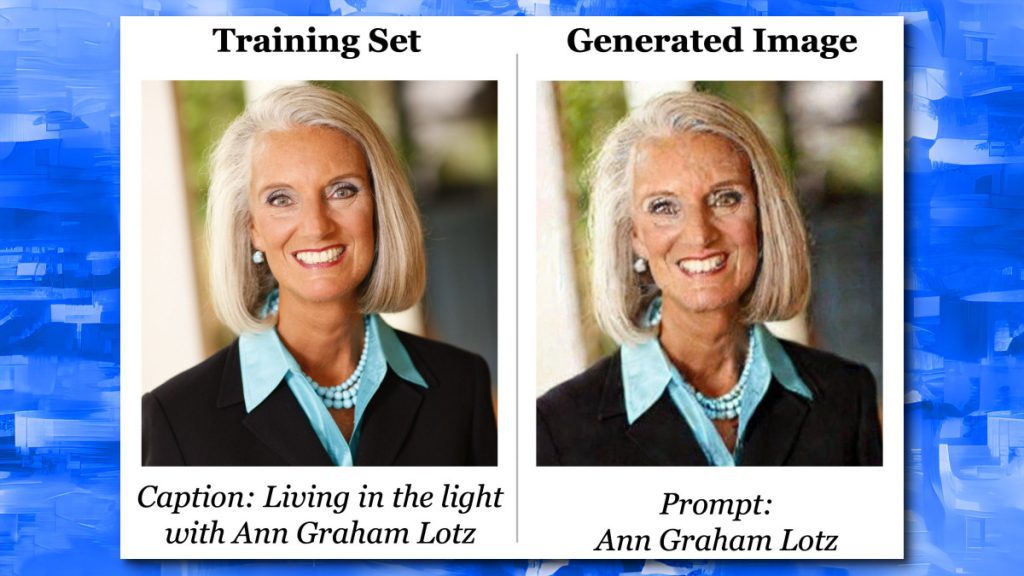
Stable Diffusion is an AI image generation model that creates images from text prompts using a diffusion-based approach. Unlike other AI art tools, it is open-source, meaning anyone can use, modify, or integrate it into custom applications.
Its flexibility makes it perfect for:
- Artists wanting to create unique digital artwork
- Developers building custom AI art apps
- Researchers exploring AI image synthesis
Key Features of Stable Diffusion
- Text-to-Image Generation: Turn prompts into high-quality images.
- Open-Source: Full control over the model and outputs.
- Customizable Parameters: Adjust style, resolution, and sampling methods.
- Wide Range of Styles: Photorealistic, fantasy, anime, abstract, and more.
- Inpainting & Outpainting: Edit parts of an image or expand beyond the original canvas.
- Community Models: Access custom-trained models shared by the community.
Why We Enjoyed Stable Diffusion
Our favorite feature is the creative freedom it provides. Unlike AI tools with fixed outputs, Stable Diffusion allows you to experiment with parameters, models, and styles to generate exactly what you envision.


Other advantages include:
- Cost-Effective: Free to use and customize.
- Flexibility: Works locally or on cloud setups.
- Learning & Experimentation: Ideal for AI art enthusiasts and developers.
- High-Quality Output: Produces visually stunning images with detailed textures.
Areas for Improvement
- Setup Complexity: Requires some technical knowledge for local installations.
- Resource Intensive: High-resolution images may need powerful GPUs.
- Variable Output Quality: Results depend heavily on prompts and parameters.
- No Dedicated Platform: Unlike MidJourney or DALL·E, there’s no native interface — you need third-party apps or local setup.
How to Use Stable Diffusion
Getting started with Stable Diffusion can be done in a few ways:
- Use an Online Platform: Platforms like DreamStudio provide a web-based interface.
- Install Locally: Download the open-source model from GitHub and set it up on your machine.
- Input Your Prompt: Describe your desired image in detail.
- Adjust Parameters: Modify resolution, style, sampling steps, and more.
- Generate & Refine: Create multiple variations and fine-tune for the best results.
- Download Your Artwork: Save your images in high quality for personal or commercial use.
💡 Pro tip: Explore community models and LoRA extensions to create highly specific styles and effects.
Final Verdict
Stable Diffusion is a powerful and flexible AI art tool that gives creators total control over their image generation process. Its open-source nature and customizability make it a favorite among artists, developers, and AI enthusiasts.
Our favorite part? The unlimited creative freedom — if you can imagine it, Stable Diffusion can help you generate it. For anyone serious about AI-generated art, this tool is a must-have.
You Might Also Like;









